Payment Report
Payment Report is a feature to view transaction reports carried out using various payment methods. Users can see the number of transactions and total amount paid based on specific payment methods.
Payment Report Flow
The general flow is:
- Select a date range for the report.
- Select the payment method to display.
- View the number of transactions and total amount for each payment method.
- Export the report to Excel if needed.
1. Viewing Payment Report
- In the sidebar, click Reports.
- Select Payment Report.
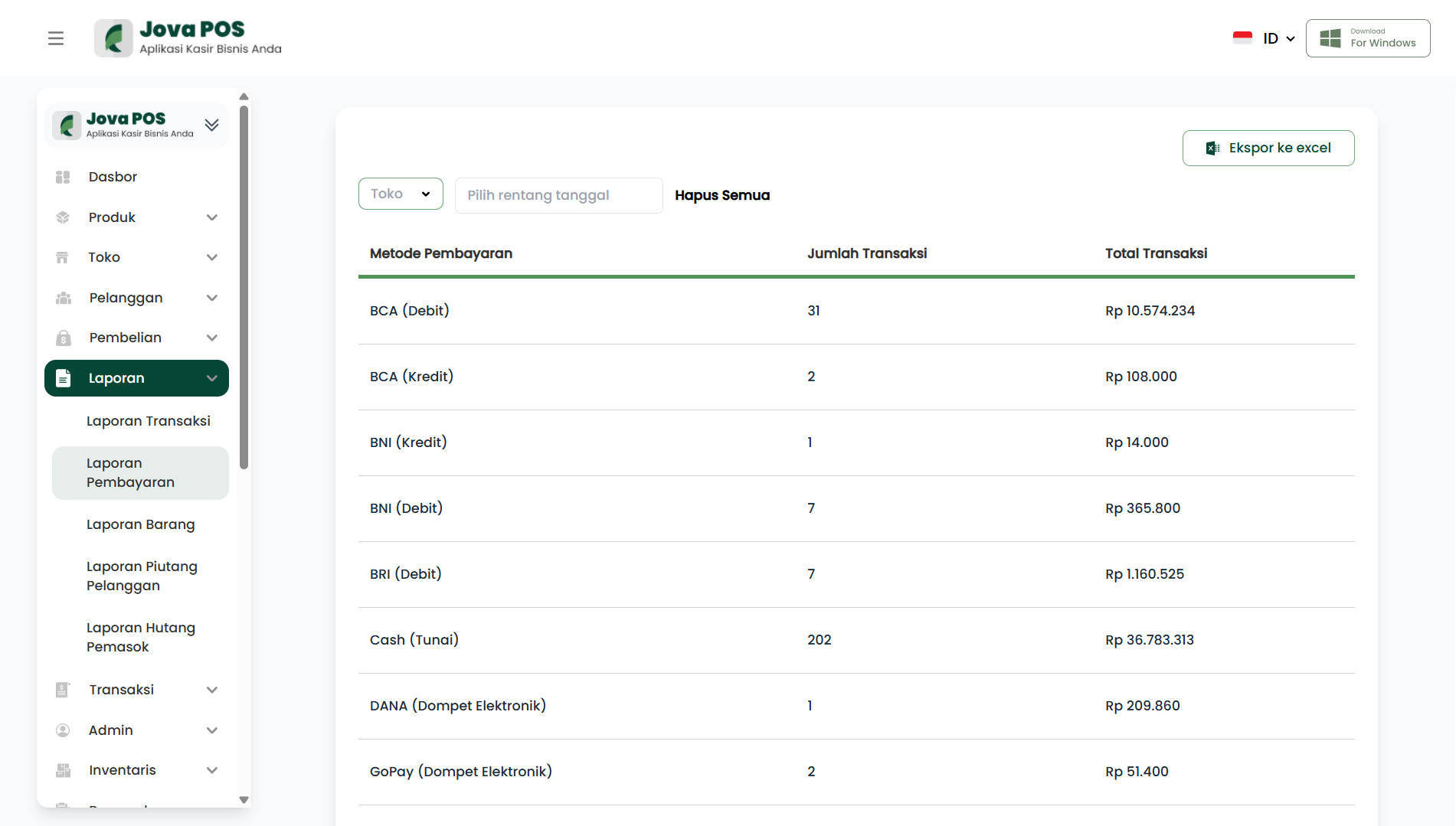
On this page you will see payment reports grouped by payment method.
2. Filter and Export Data
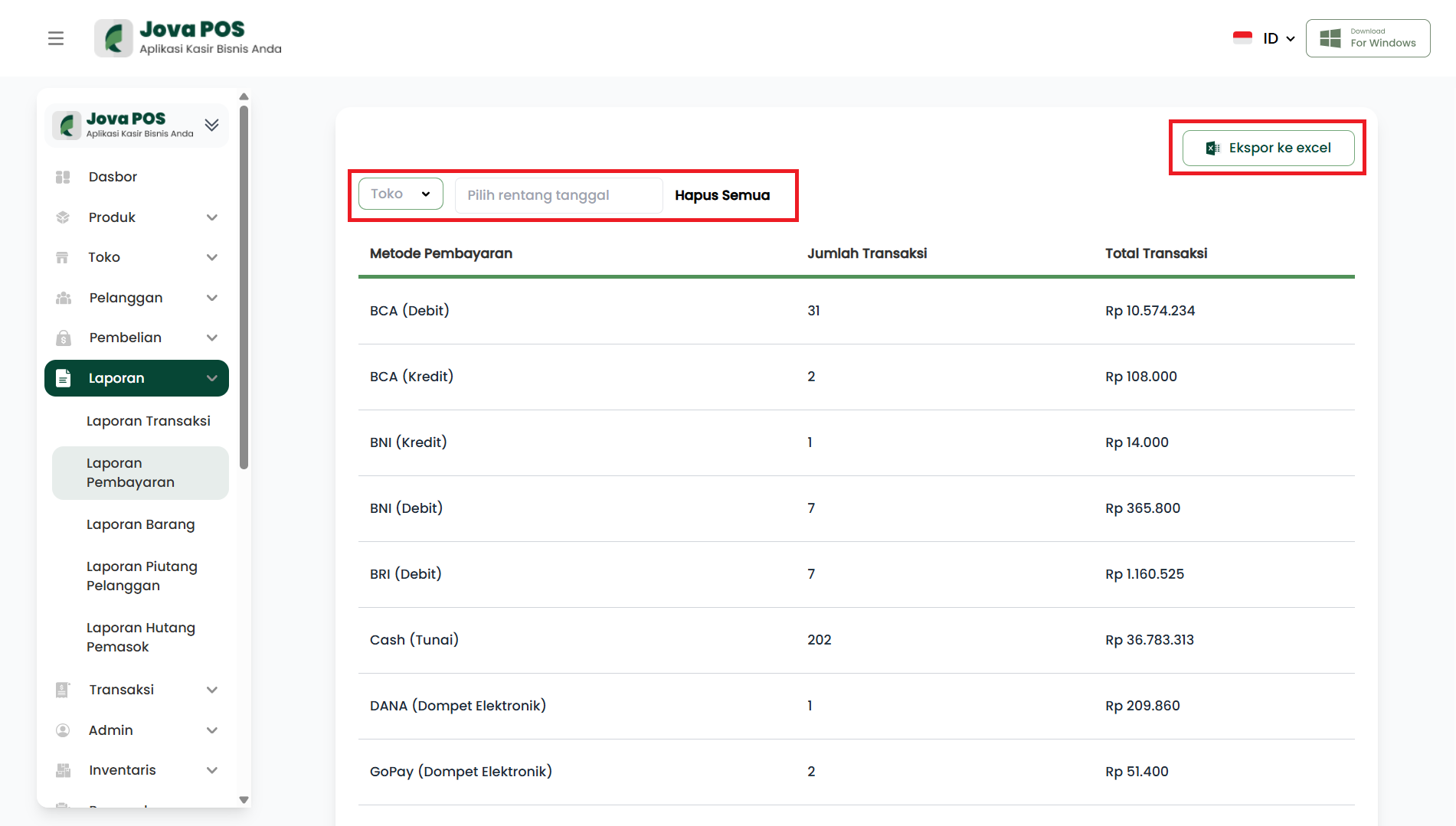
On the Payment Report page, you can:
- Select a date range for the report to display.
- Export to Excel to download the payment report data.
3. Viewing Payment Report
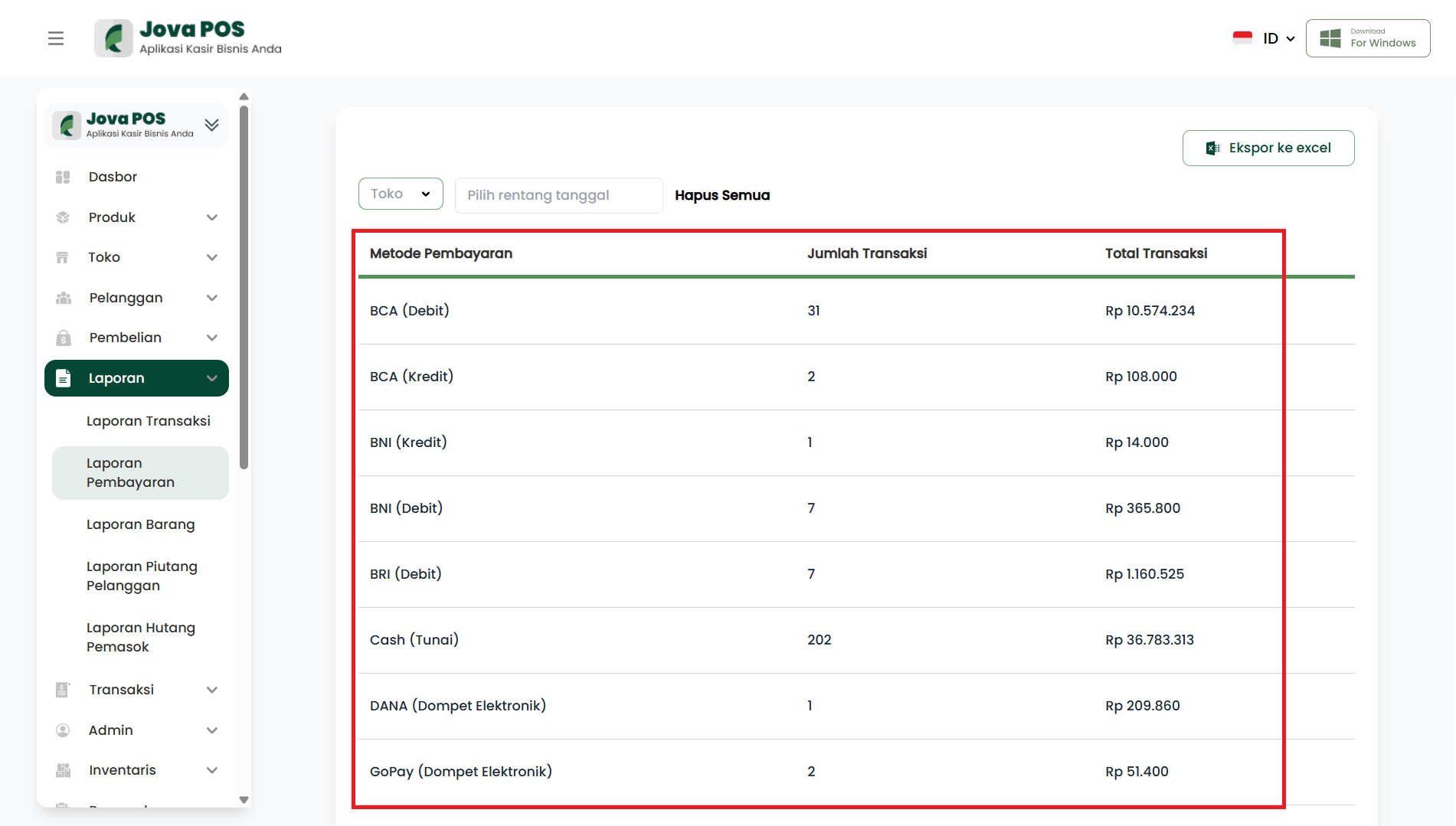
After selecting a date range, the report will display data related to Payment Method, Number of Transactions, and Total Amount.
4. Exporting Data to Excel
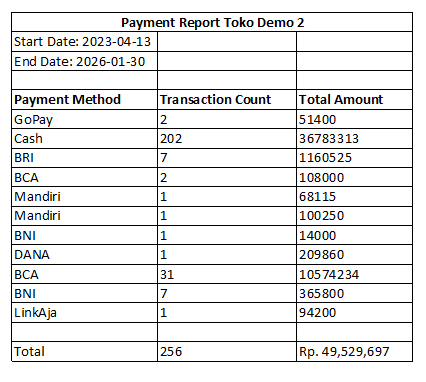
If you want to download the payment report, click the Export to excel button to download the report in Excel format.
Conclusion
By following the steps above, you can easily view and manage payment reports based on the payment methods used. You can also export payment reports to Excel format for further needs.